
Planning your big day and loving the wedding matchbox favor idea? Us too! There is something undeniably charming and oh-so-practical about a personalized wedd…
Planning your big day and loving the wedding matchbox favor idea? Us too! There is something undeniably charming and oh-so-practical about a personalized wedding matchbox – and why matchbooks and matchboxes have been a well-loved wedding favor since the 1970s! They are cozy, budget-friendly, and give you the perfect tiny canvas for clever puns, chic monograms, or gorgeous custom wedding artwork.
However, if you’ve ever tried sticking vinyl or sticker paper straight onto a plain matchbox, you might know the struggle: crooked edges, awkward air bubbles, and a finish that doesn't quite match those high-end inspiration photos that you're hoping for.
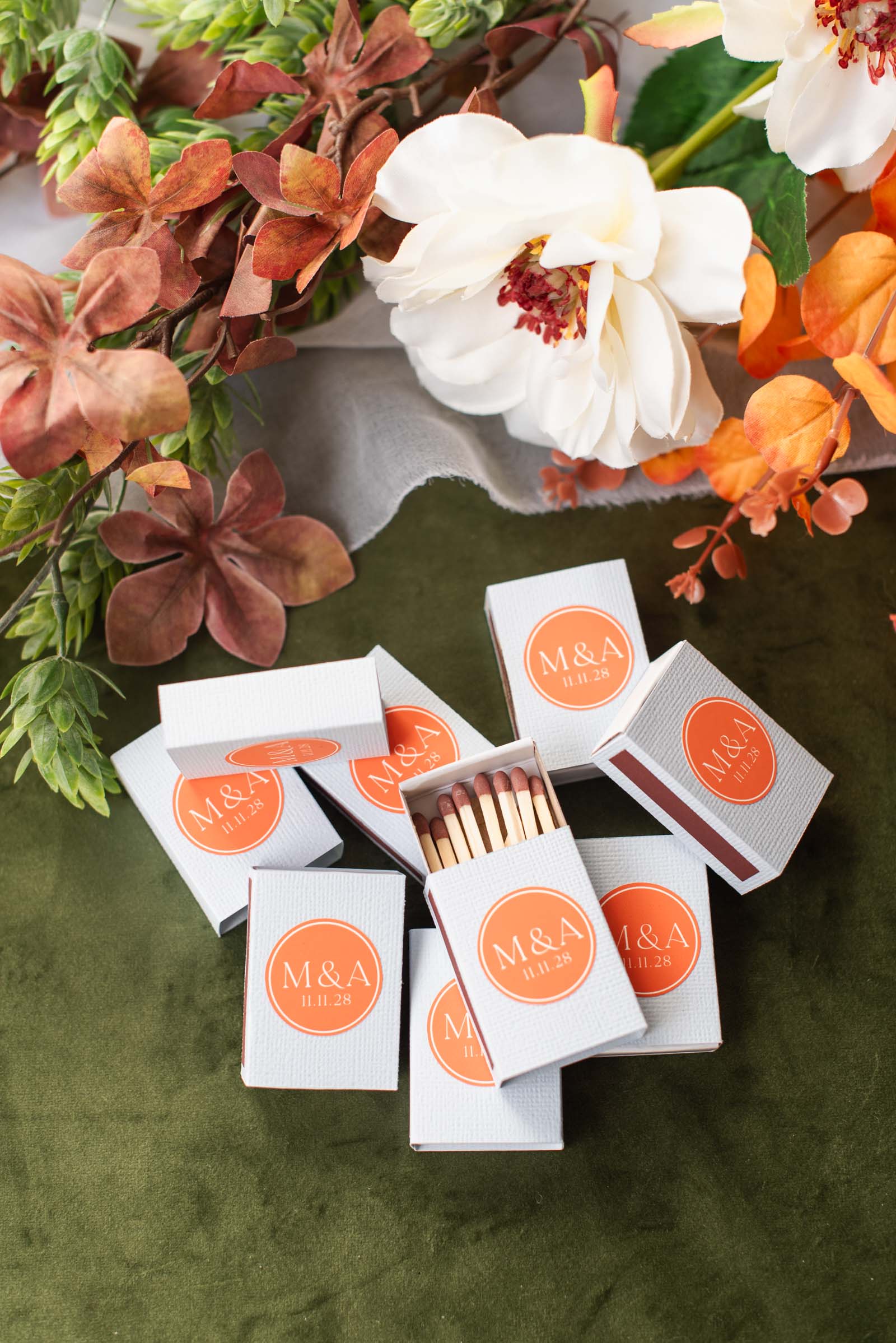
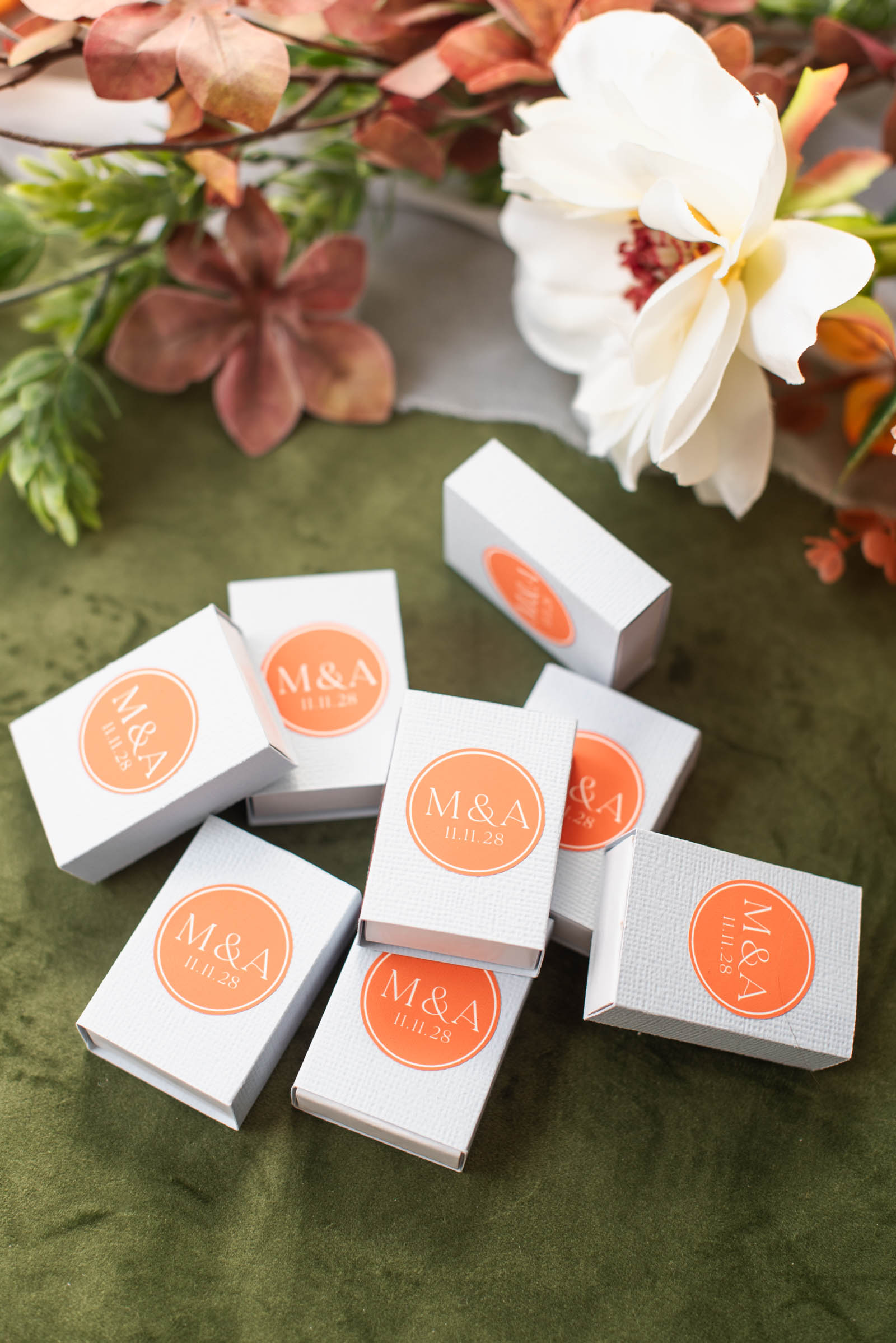
And well, we think that there's a much more enjoyable beginner-friendly way to personalize these favors, and that's what we're sharing today! By crafting textured cardstock sleeves finished with match striker stickers, you can get that handmade boutique look right from your kitchen table (while even having some mindful papercrafting moments!).
Whether you are using a compact Cricut Joy or a larger Cricut cutting machine, this easy step-by-step tutorial will show you how to batch make stunning matchbox favors your guests will actually want to take home and use.
Why You’ll Love This Cardstock Matchbox Method
A lot of couples apply vinyl decals or printed labels directly to pre-assembled matchboxes, and that’s definitely one way to do it! But for our tutorial, we think creating a personalized cardstock sleeve offers several advantages in both aesthetic quality and functionality. And biased fact: we just love folding cardstock as it's quite therapeutic!
➤ Polished Results: Wrapping sticker paper directly around a box can lead to bubbled or crooked edges. Heavyweight textured cardstock mimics a unique look of luxury, bespoke matchboxes.
➤ Budget Friendly: Purchasing plain white matchboxes, cardstock, and match strike strips in bulk allows couples to produce dozens of personalized favors for a fraction of the retail cost. And if you already have leftover cardstock from your other wedding stationery bits, this can be a great scrap project that already matches your color theme!
➤ Easy to Make in Bulk: Cardstock sleeves are small, making them a great bulk project for any Cricut machine, even the tiny Cricut Joy 2. Wedding DIYers can easily fit multiple sleeve cuts onto a single long Joy LightGrip mat (four to be exact, and even more for larger machines!), streamlining bulk making without taking up a lot of space.
Popular Matchbox Wedding Sayings & Slogans
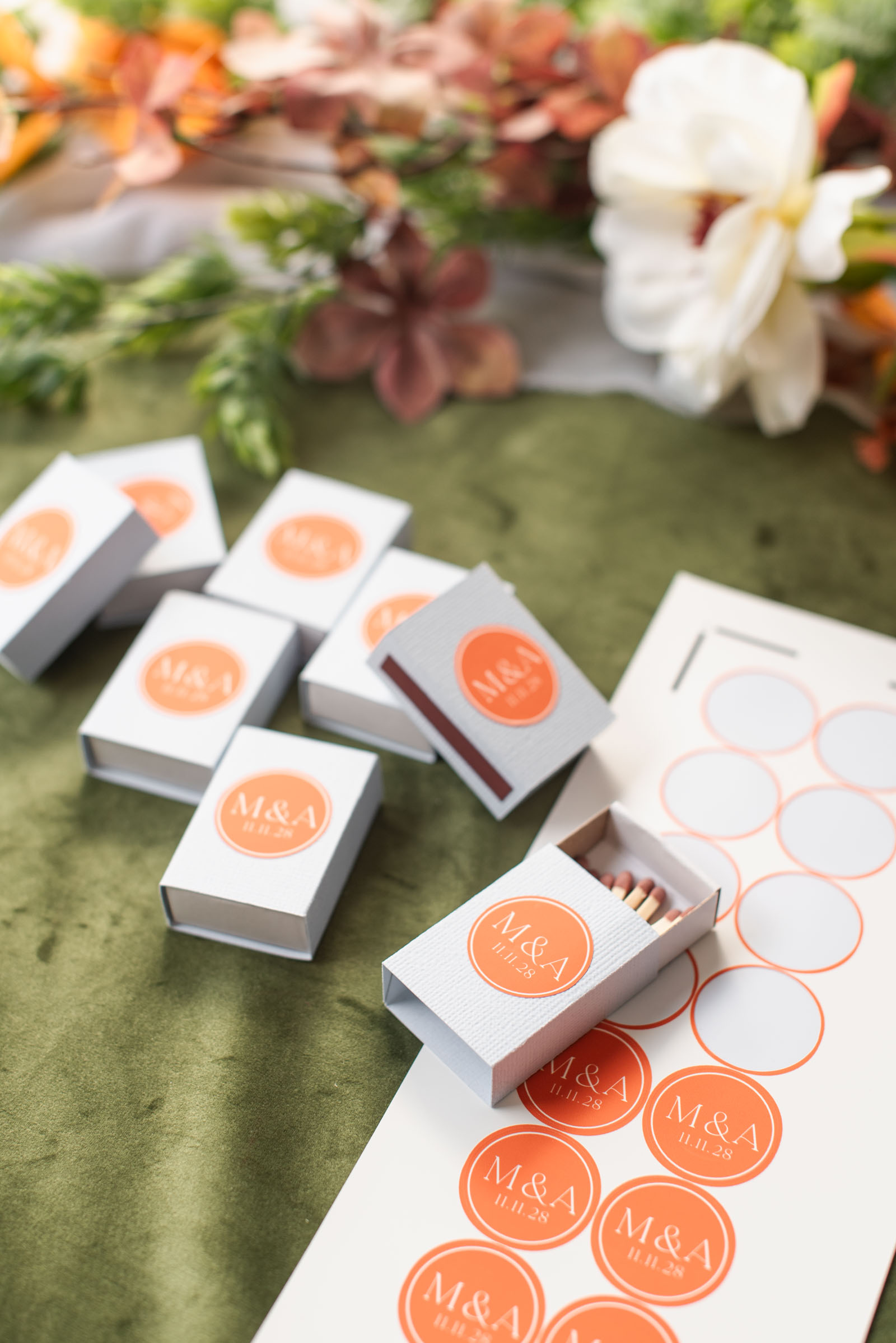
You can personalize this project in so many ways, and who doesn't love a good wedding pun? Whether you prefer a minimalist monogram sticker or a funny phrase, here are some of our favorite matchbox wedding favor sayings to use on your Cricut designs:
- "The Perfect Match" – A timeless classic for any wedding style.
- "Let’s Get Lit" – Perfect for late-night receptions, fire pits, or cigar bars.
- "Light Up The Night" – Great for weddings with sparklers or glow sticks.
- "A Match Made in Heaven" – Simple, romantic, and traditional.
- "Sparking Love Since [Wedding Date]" – A cute, play-on-words option.
- "To Have and to Hold (and to Keep You Warm)" – Cozy and sweet for fall or winter weddings.
- "You Strike My Fancy" – Cheeky and fun.
- "We Saw Sparks on [Wedding Date]" – Another cute phrase.
How to Make Wedding Matchbox Favors with your Cricut
Skill Level: Beginner
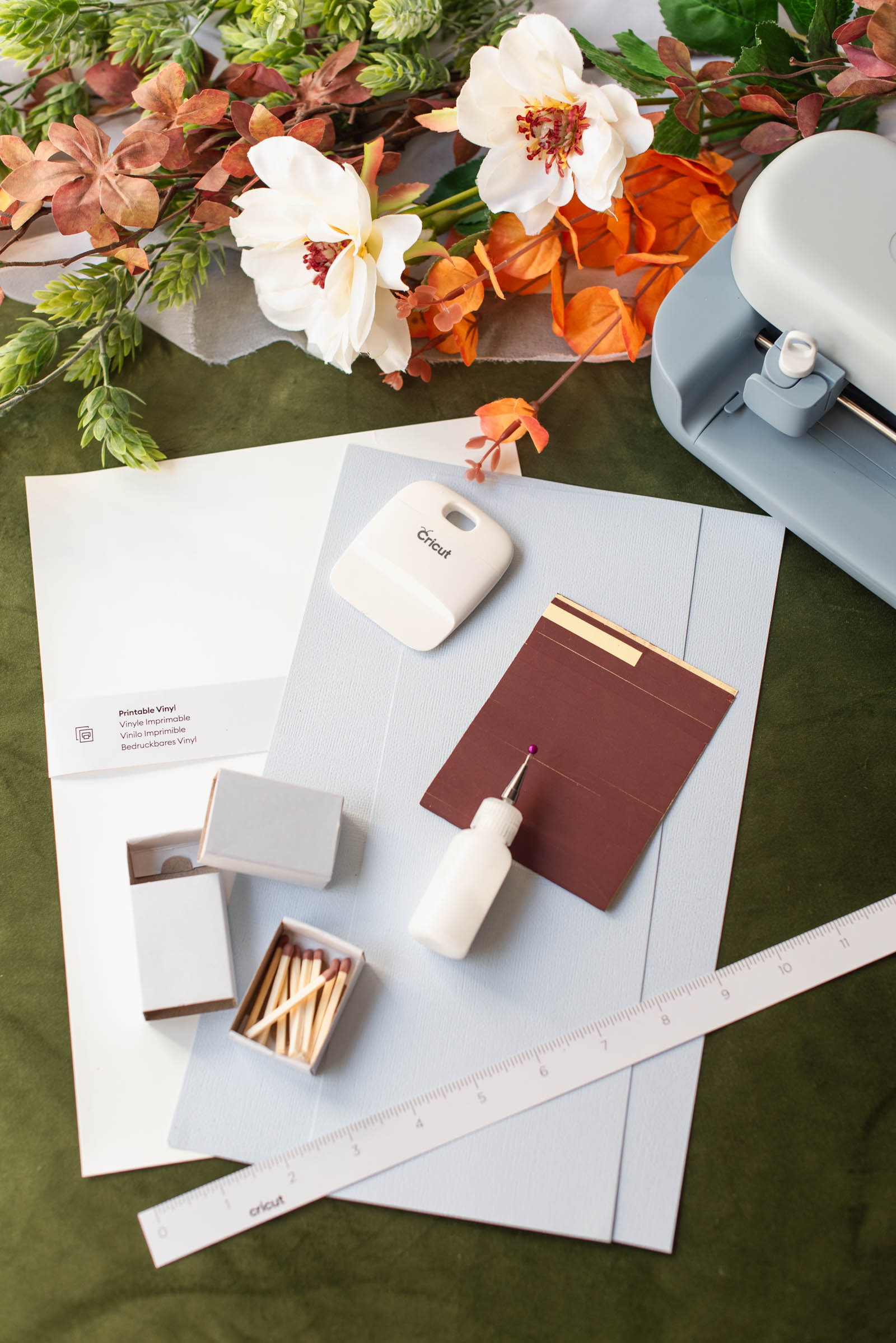
Supplies Needed for Matchbox Favors
• Cricut Joy 2 (or any cutting machine)
• Fine-point blade
• Scoring tool (if not using Cricut Joy, use the scoring tool compatible with your machine)
• Long LightGrip cutting mat (if not using Cricut Joy, use the mat sized for your machine)
• Ruler or measuring tape
• Plain white matchboxes
• Textured cardstock (we've used AC Cardstock brand)
• Craft glue (we've used our go-to papercraft glue Bearly Arts)
• Scraper tool (optional)
• Match strike stickers
• Portable trimmer
• Matchsticks
• Our Custom Matchbox + Monogram Sticker Cricut Design Space project (bookmark or make it right now!)
DESIGN NOTES: For our project, the base matchbox template was designed with basic shapes and score lines that are 100% free in Cricut Design Space. For the monogram sticker, the ‘La Luxes’ font used is a premium font, but this can be easily swapped out for your own preferred font without paying any additional Cricut Access or single-purchase fees.
Base Material Setting for Cutting Cardstock and Printable Vinyl
For our textured cardstock, we found the best results with Medium Cardstock. For our printable vinyl, Printable Vinyl, White (with green grid on the back of the sheet).
Compatible Cricut Machines
• Joy 2
• Joy Xtra
• Explore family
• Maker family
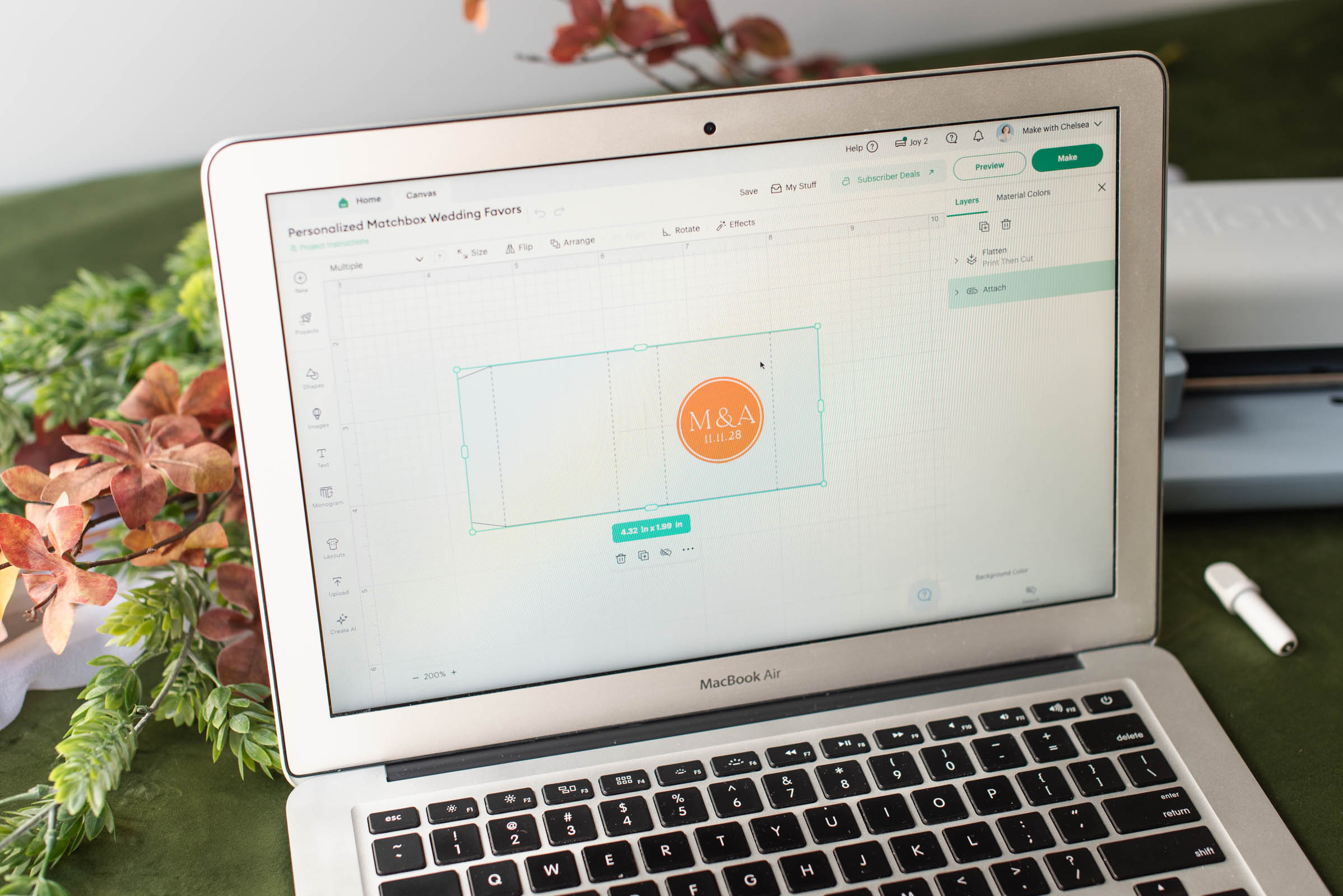
Step-by-Step Instructions: Making Your Wedding Matchbox Favors
1Prep your project. Set out all of your materials and prep your computer, laptop, or mobile phone with Cricut Design Space. If using our pre-made Design Space project, all you need to do is click Customize to edit!
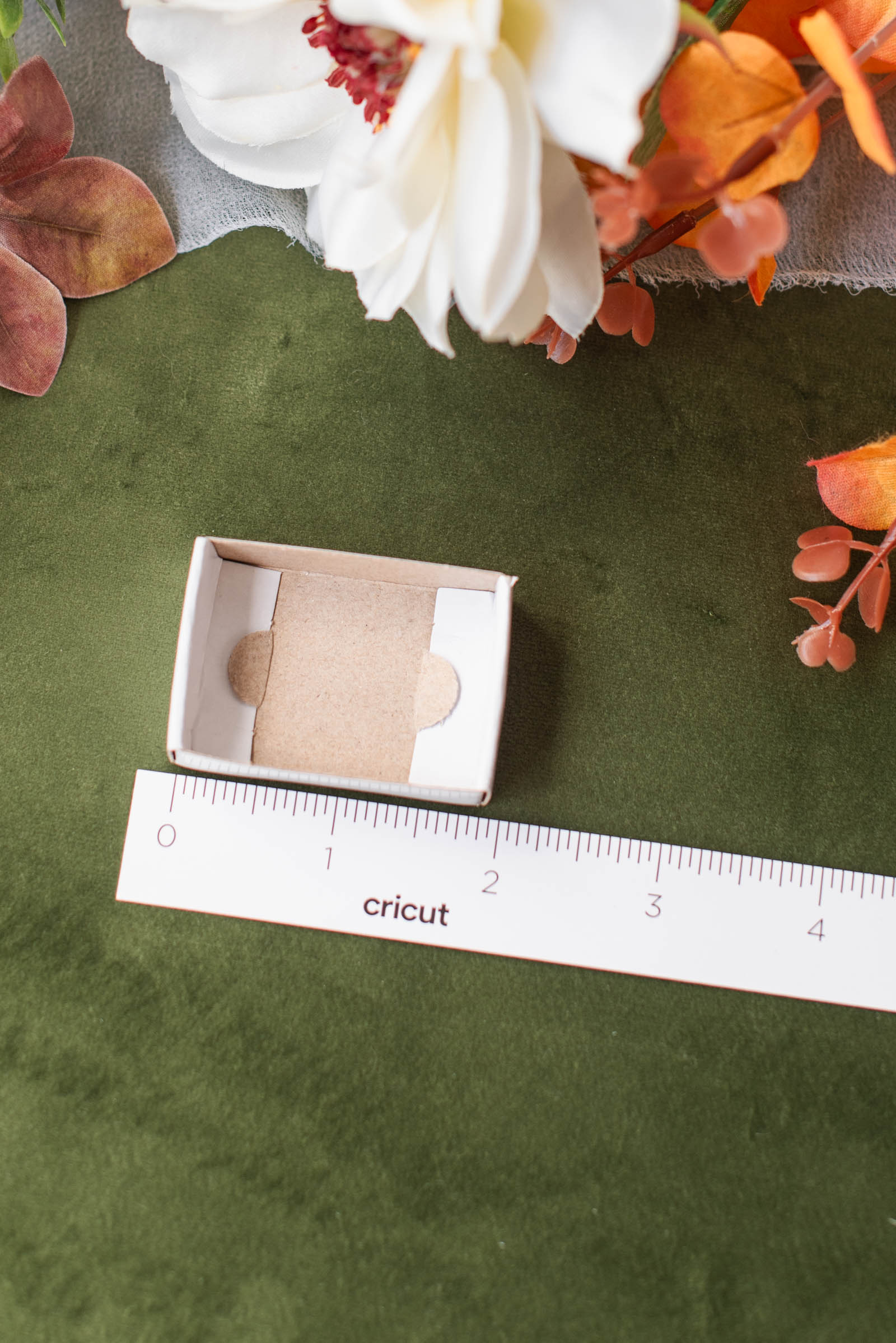
2Measure your matchbox. Using a ruler or measuring tape, measure your matchbox to ensure your cardstock sleeve will fit. Our matchbox template was designed for a standard small matchbox measuring 50mm x 35mm x 16mm (1.97" x 1.38" x 0.63").
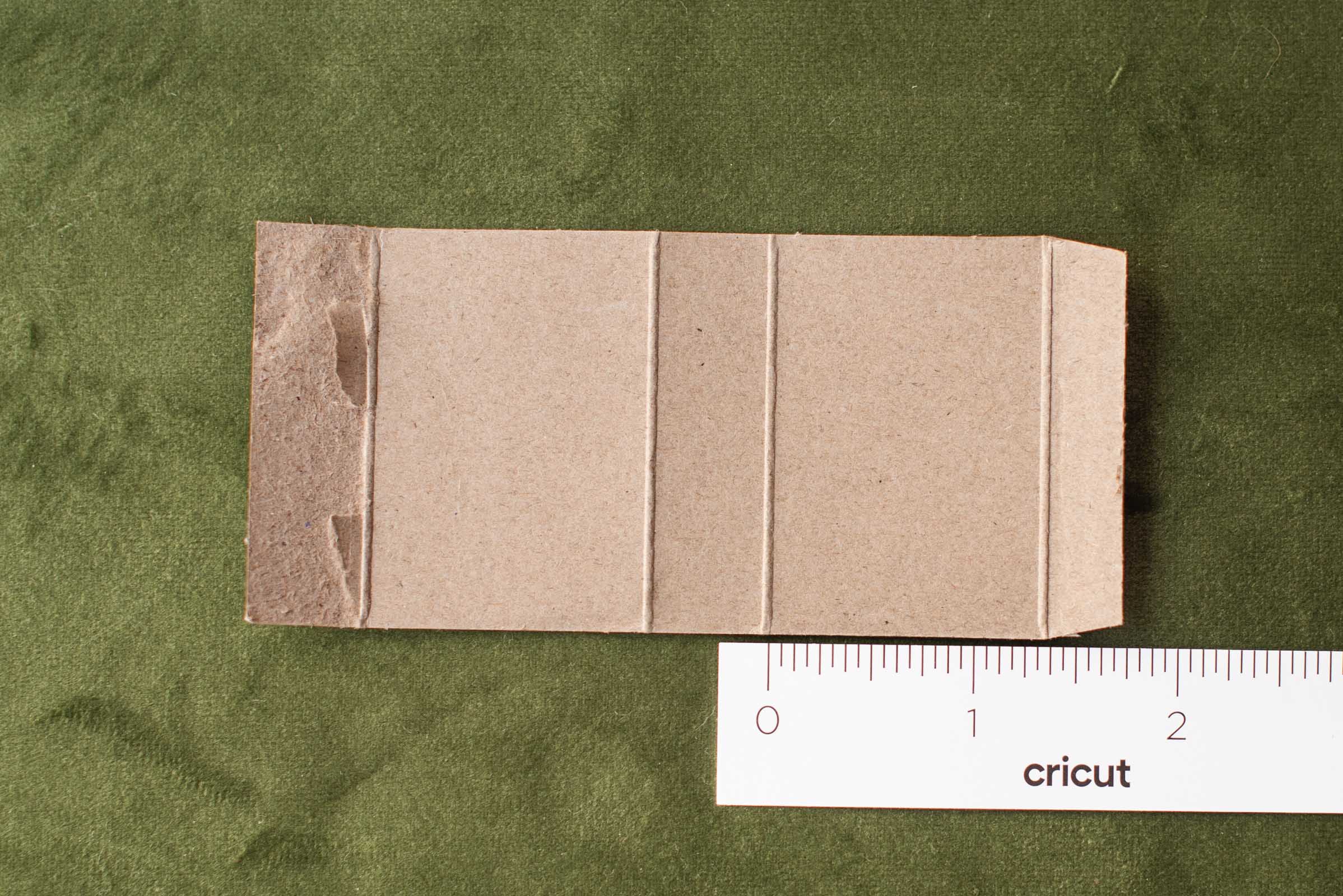
★ HAVE A DIFFERENT SIZED BOX? Here's how we created our template so you can make your own! Carefully unglue and flatten your original matchbox outer sleeve, then measure each panel section.
In Design Space, create a rectangle shape for each panel using your measurements. Line up your rectangles, and add a Score line anywhere the rectangles touch (you should have 4 in total). Then use the Weld tool to connect the rectangle shapes together, creating one single matchbox sleeve shape.
Ensure your Score lines are layered above your new sleeve shape so you can see that they are where they are supposed to be. Before cutting, highlight all layers and click the Attach tool so the score lines score in the correct places. See our Design Space project linked above and photo below for visual reference.
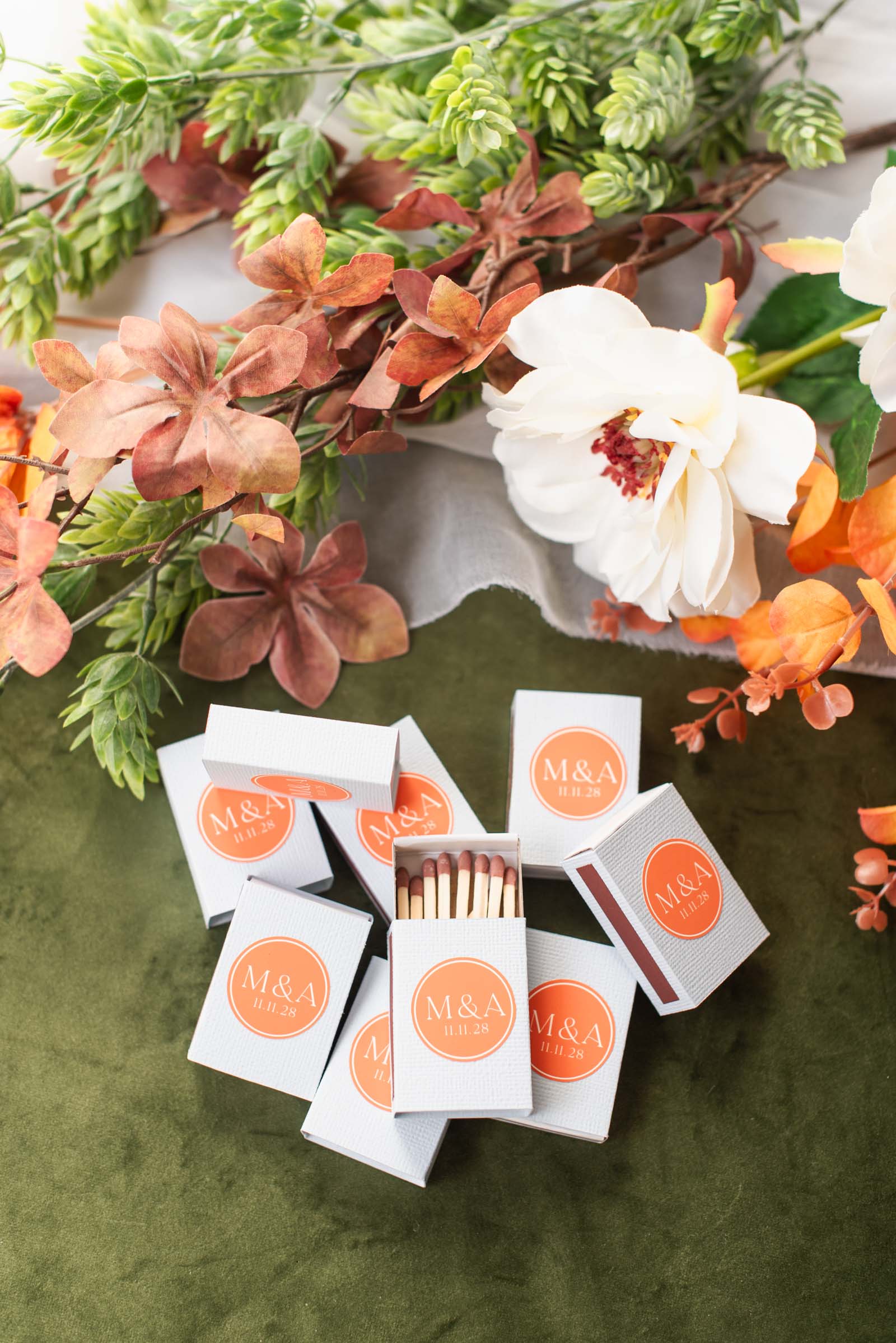
3Edit your sticker. In Design Space, edit the circle sticker layer from our pre-made template with any custom measurements, and change the monogram and wedding date by double-clicking on the text. Our sticker as is measures at 27.4mm (1.08") wide so it fits nicely on top of our matchbox. Because of our tiny favors, we chose a minimalist design. Before continuing, double check that your sticker layers are still Flattened; if not, Flatten.
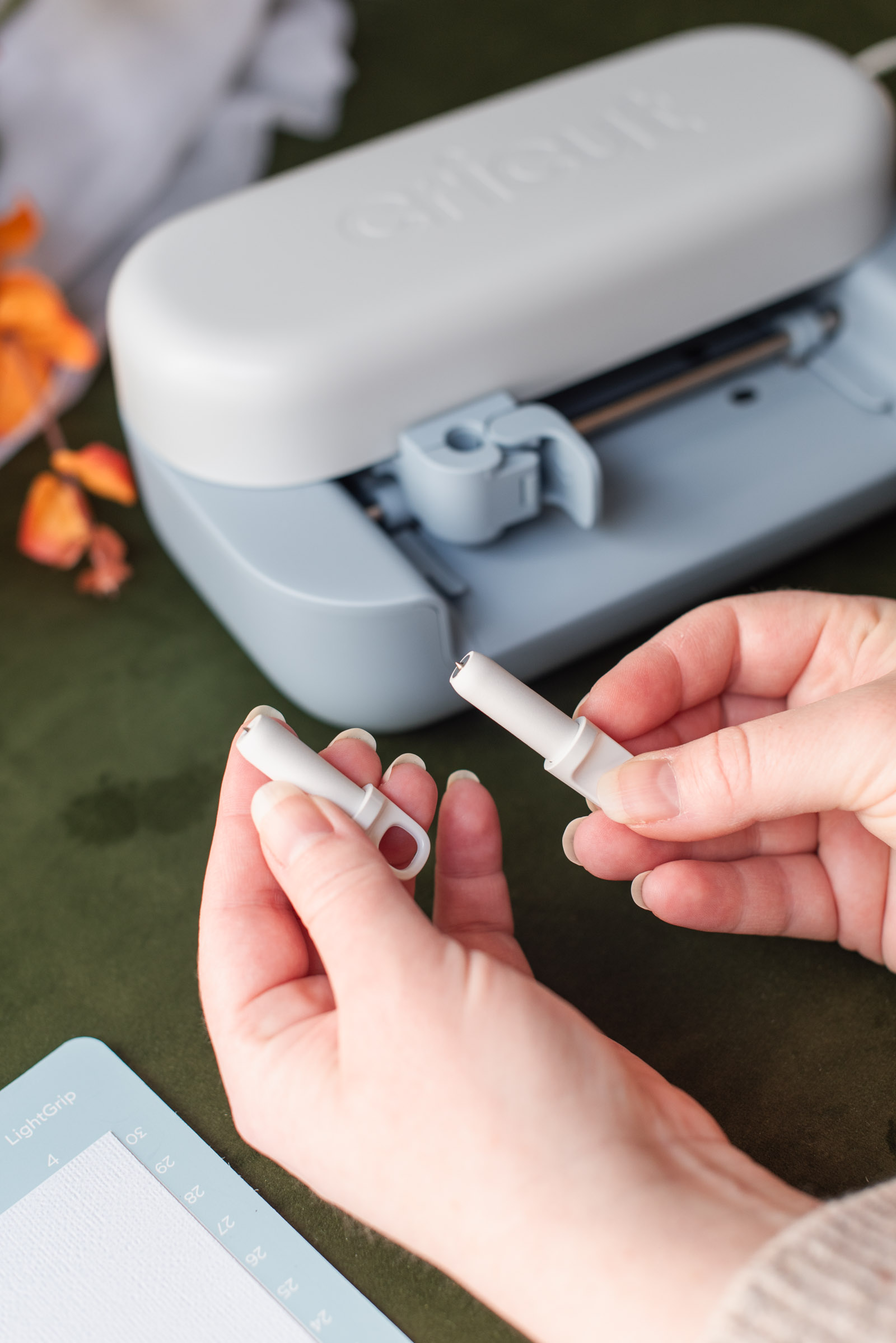
4Now Make. Click Make to go to the Prepare screen. Select "On Mat" as your loading material option. To batch make, edit your Project Copies to the number of favors you're making. Follow on-screen instructions to print and cut.
✎ BULK MAKING TIP FOR CRICUT JOY 2: On one single sheet of A4/U.S. Letter-sized printable vinyl, you can fit 32 favor stickers. On a long Joy-sized mat, you can cut 4 matchbox sleeves at a time. Because of this gap in numbers, you may want to cut these two materials separately in batches. Cut all of your stickers first, then cut all of your sleeves next. To make this easy, on your Canvas screen, "hide" the layer group of whatever you're not cutting right now then return to the Prepare screen to continue with step 4.
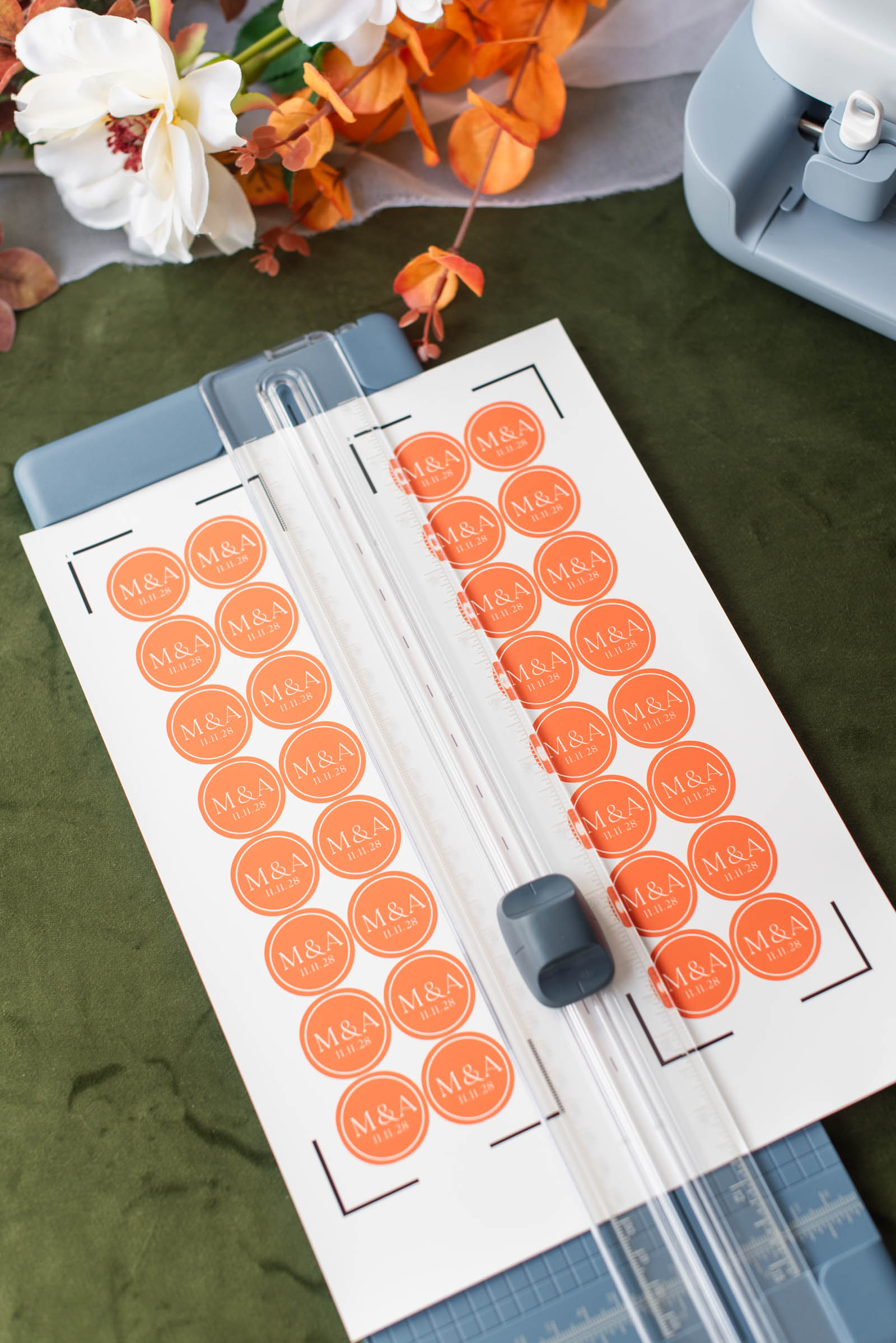
5Trim your sticker sheets. After your stickers have printed, use your trimmer to cut along the middle dotted line. Pay attention to each half as one has a tiny number 1 and the other has a tiny number 2 near the tops of the sheet. Place number 1 onto your cutting mat first, and follow on-screen instructions to cut. Repeat for number 2.
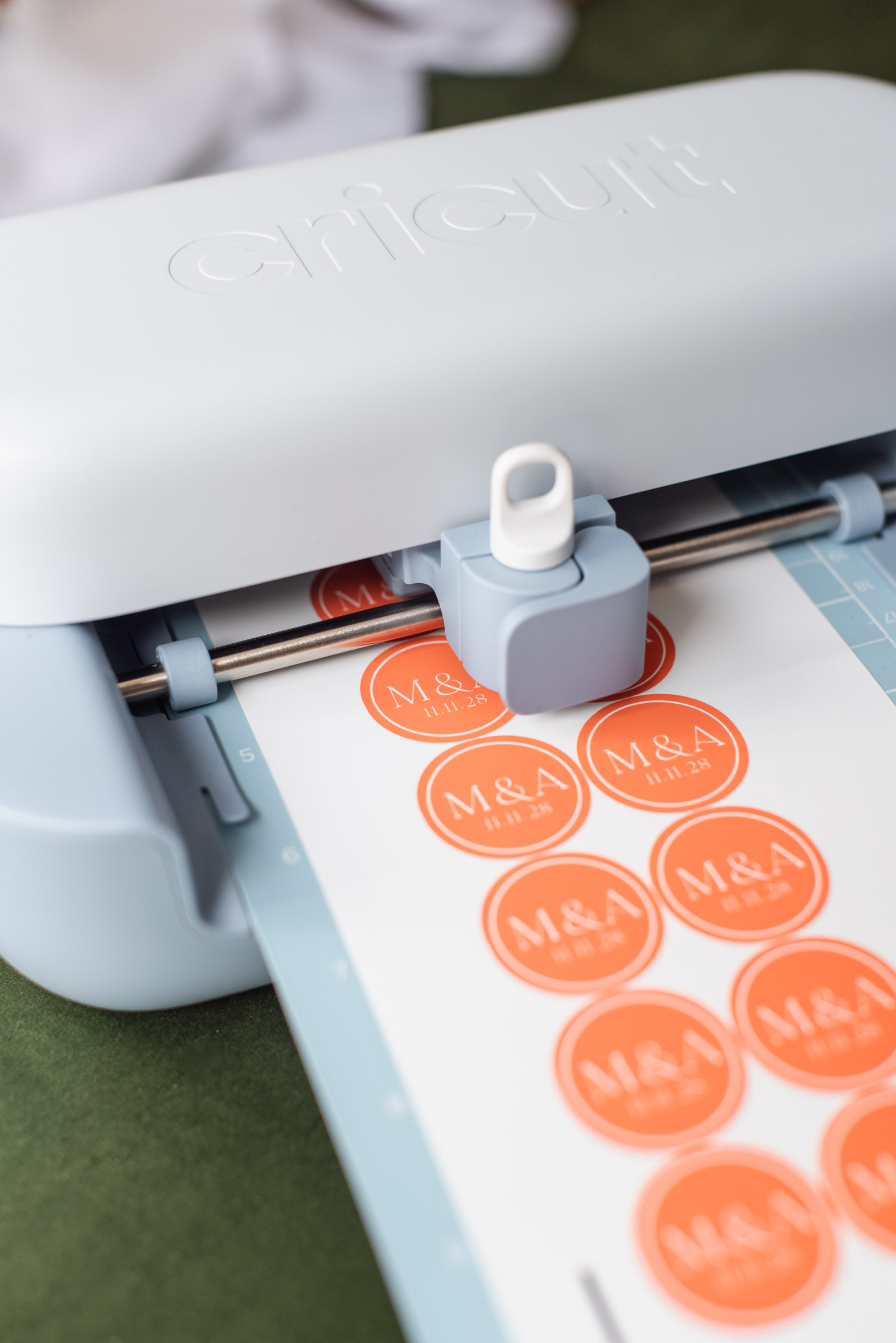
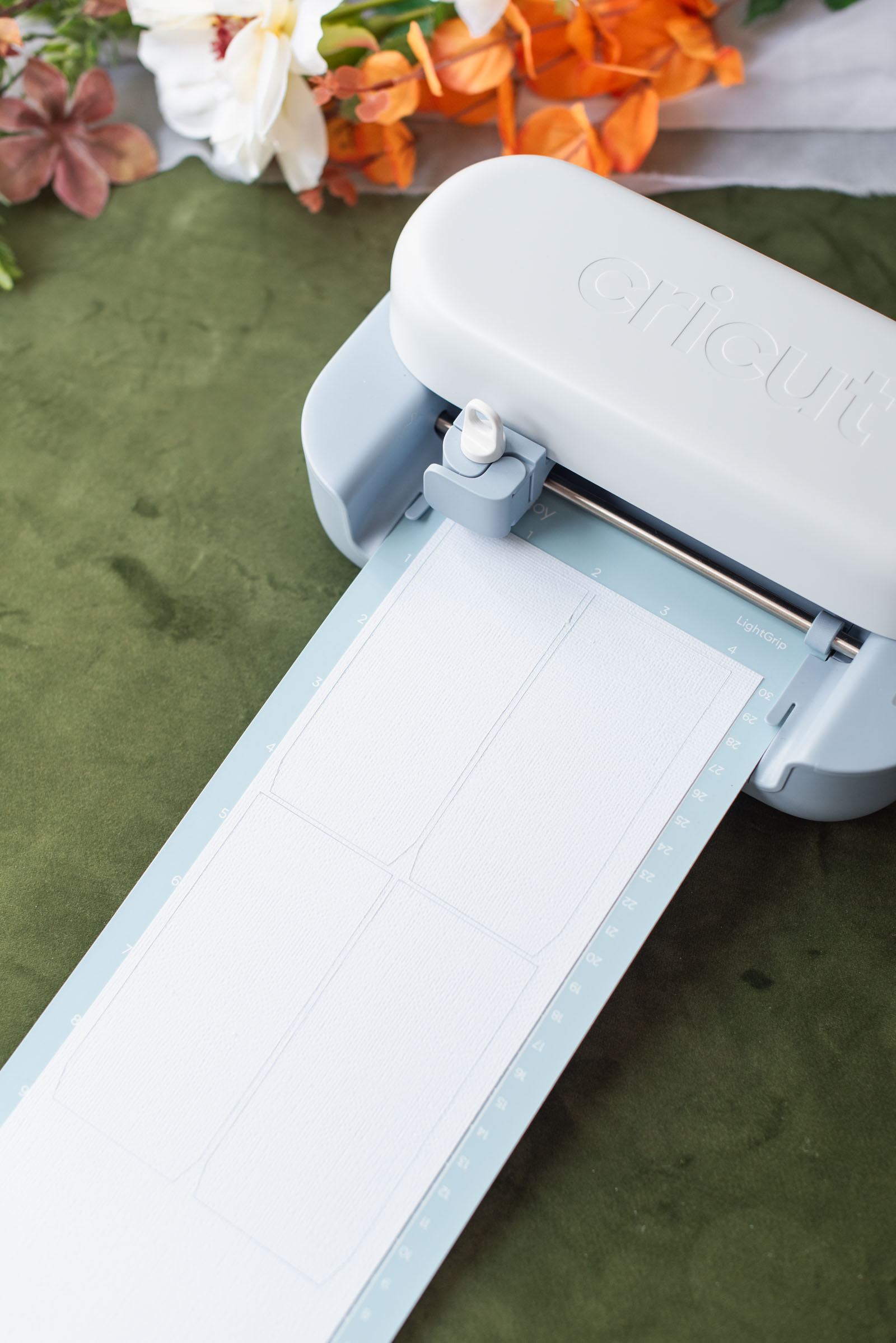
6Cut your cardstock. With your trimmer, trim down your cardstock so it fits on your cutting mat and place on your mat, making sure it's firmly secured down. Follow on-screen instructions as Design Space will tell you when to swap out the scoring tool and fine-point blade. After cutting, flip the mat over and bend the mat backwards to remove the cardstock; this helps avoid any paper curling.
⏱ TIME SAVING TIP FOR CRICUT JOY 2: Purchase at least three long Joy LightGrip cutting mats and prep each empty mat with cardstock while another mat cuts. Keep swapping out the mats as needed, so you can keep the machine going without any downtime!
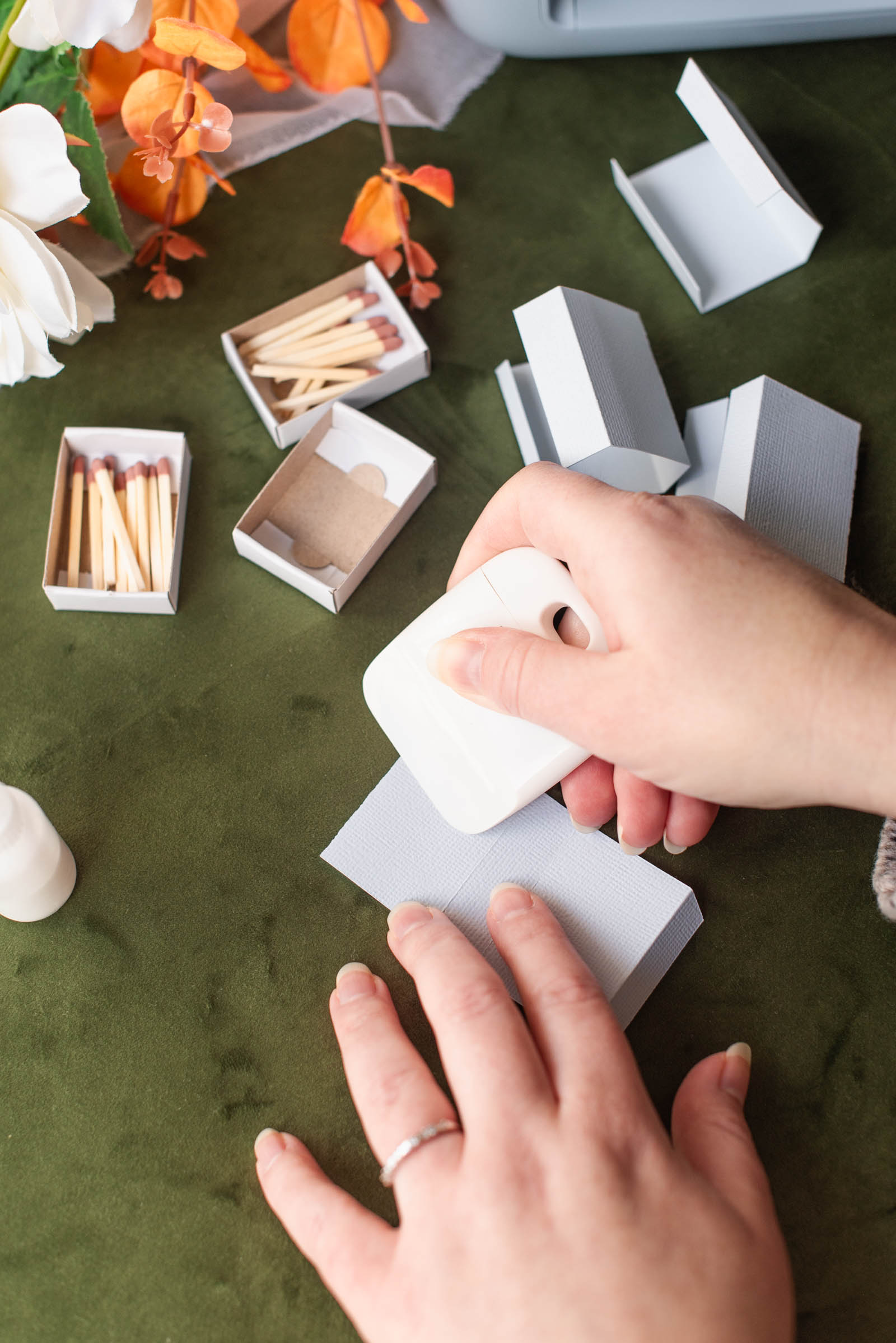
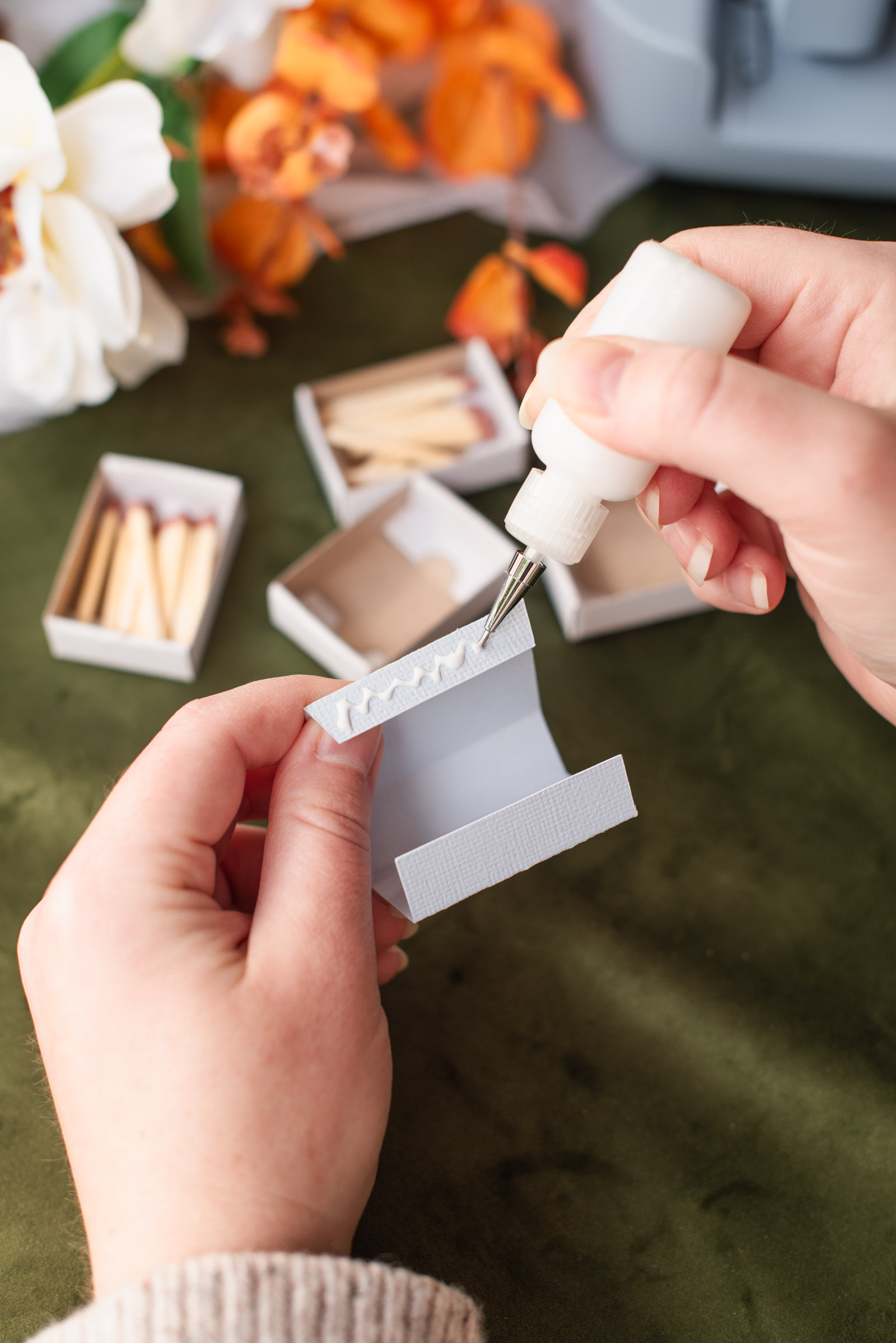
7Assemble your matchboxes. Using your fingers and/or scraper tool, fold along every score line on all of your boxes. You'll start to see how the box takes shape! This makes a great, relaxing group crafternoon with your wedding besties so be sure to invite everyone over for some papercrafting!
After everything is folded, apply a thin line of glue on top of the tab that looks like the corners were cut off. Attach it to the other end's tab to create the sleeve shape. Firmly hold until the glue feels "stuck." Repeat for all of your cardstock sleeves.
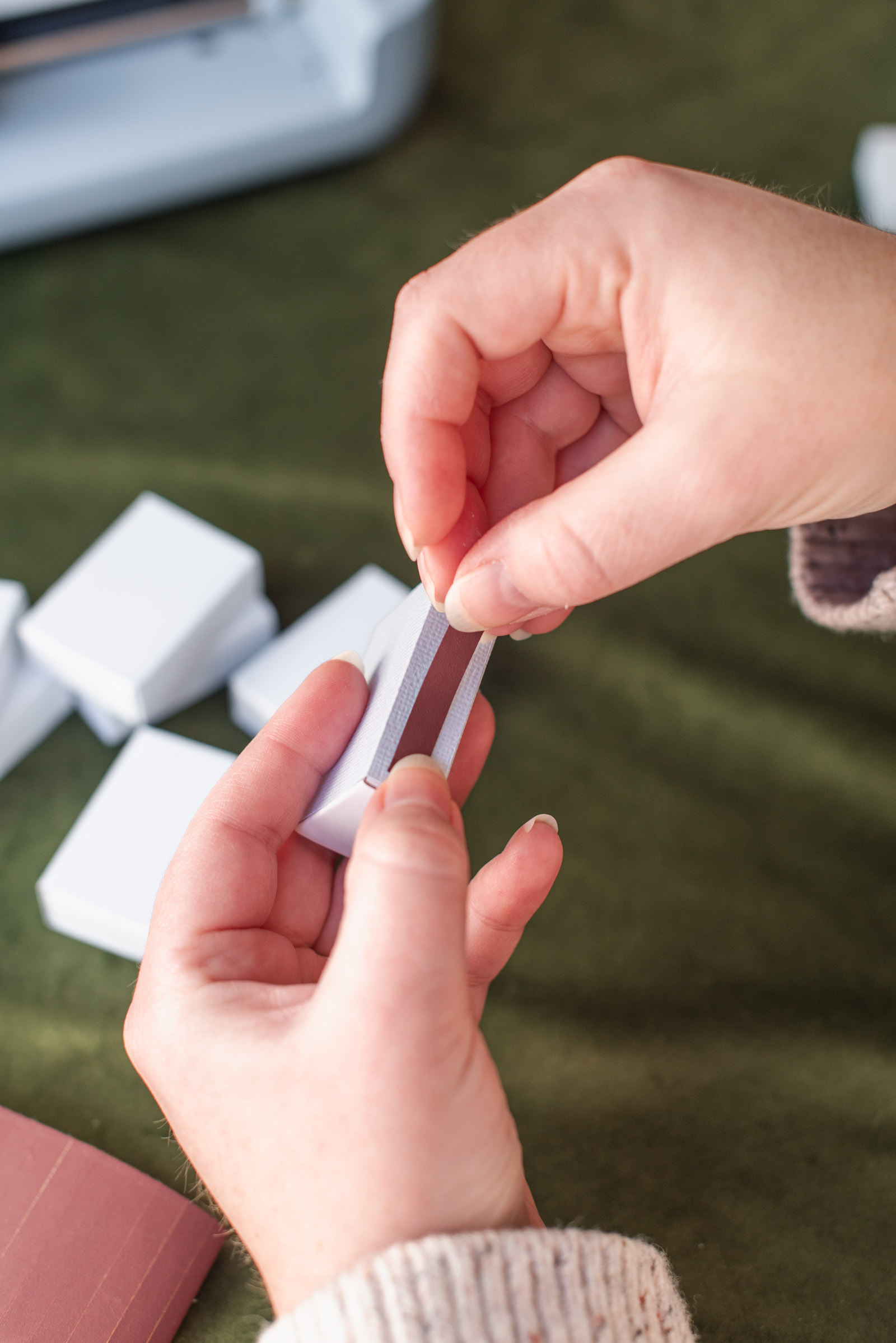
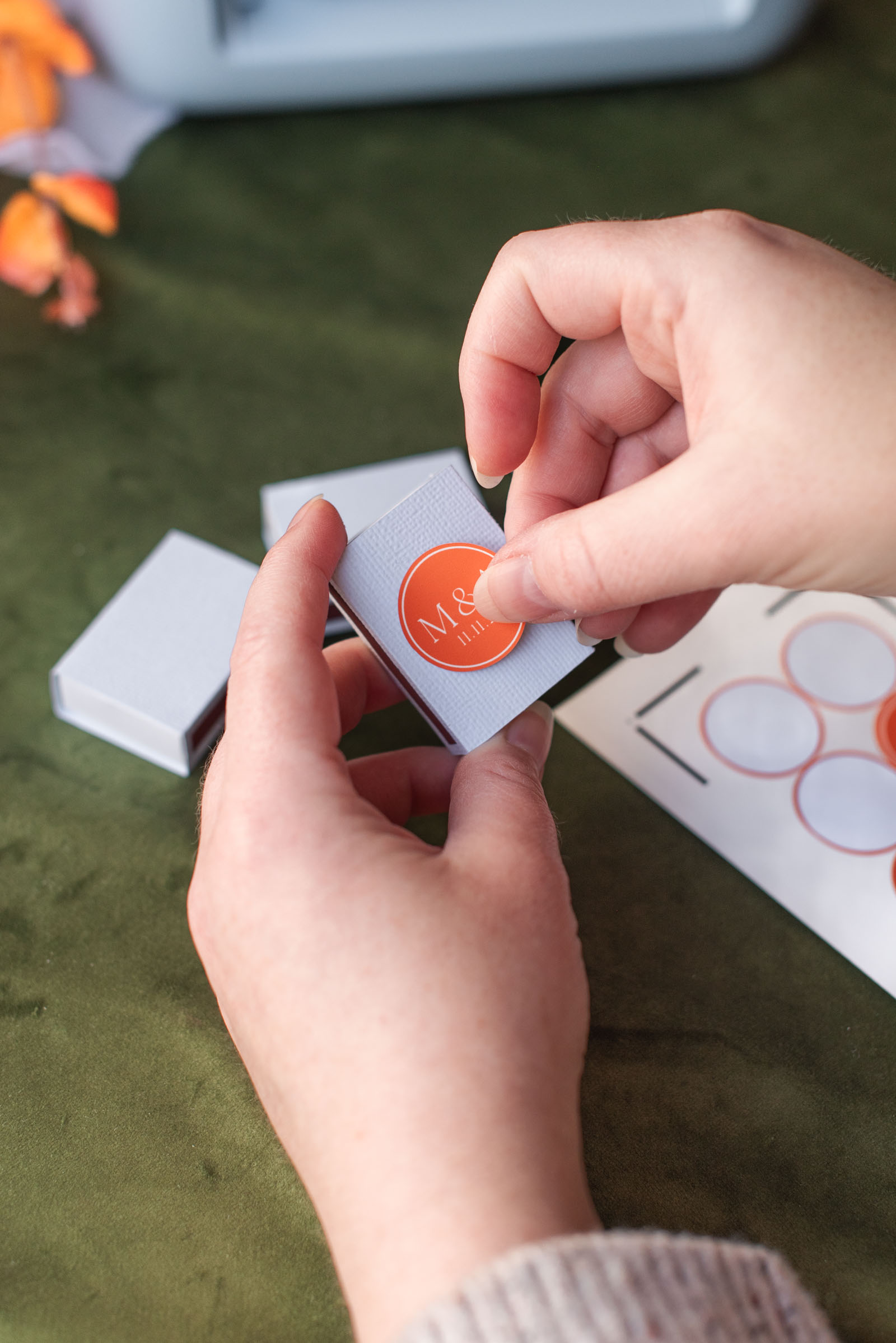
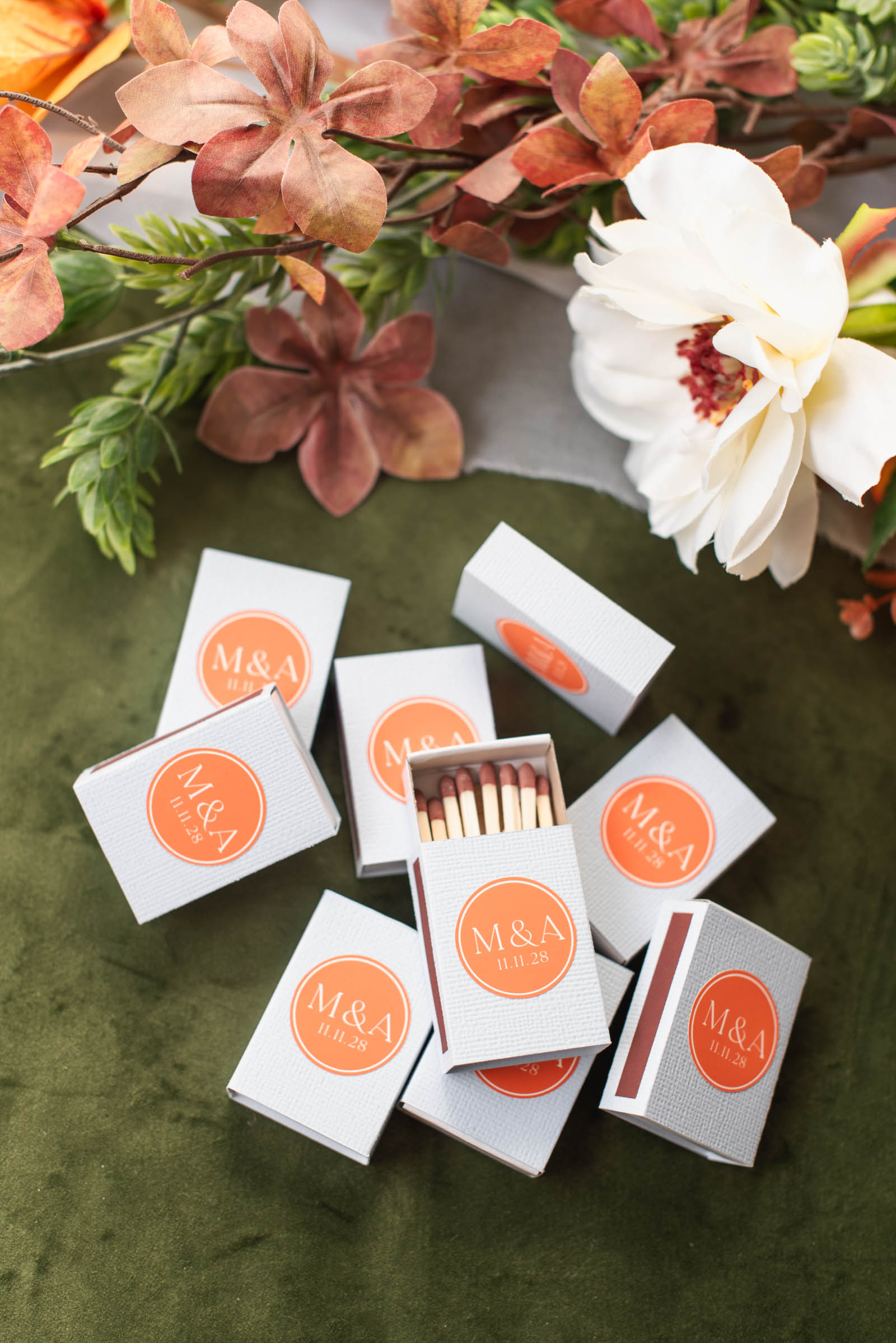
8Apply strike strips and stickers. Slide your cardstock sleeves over every empty matchbox. Then place a match strike strip on the side. We put ours on the side with the seam (or where we glued our tabs together). Next, put a monogram sticker on the top. Do this for all of your favors.
9Add your matches. Stock up your matchboxes with your choice of matchsticks. There are a lot of fun match color options out there to match your theme (pun intended). If needed, trim down your matchsticks with garden shears to fit your box size. Store in a safe spot until the big day!
FAQs About Cricut Wedding Favor Matchboxes
Do I need a Cricut Access subscription to make this project?
Not at all! The base matchbox template was designed with basic shapes and score lines that are 100% free in Cricut Design Space. For the monogram sticker, the ‘La Luxes’ font used is a premium font, but this can be easily swapped out for a free Cricut font or your own system font without paying any additional Cricut Access or single-purchase fees.
What paper weight works best for Cricut matchbox sleeves?
A medium-to-heavyweight cardstock between 80lb and 100lb (216-270 gsm) offers the best structure and folding flexibility. Paper lighter than 80lb is too flimsy and would rip when guests try to strike their matches.
Can this matchbox sleeve project be made on the original Cricut Joy or Cricut Joy Xtra?
Yes! The sleeve template is designed to be compatible within the maximum cut width of the entire Cricut Joy family. You can use the Joy-specific scoring tool across all Joy machines as all Joy machines now have scoring capabilities. If your machine didn't come with a scoring tool, you can easily purchase one on Amazon or Cricut.com.
Create Wedding Favors That Will Actually Be Used
At the end of the night, the best wedding favors are the ones that bring back warm memories every time your guests use them. By taking a little extra time to craft these custom cardstock matchbox sleeves, you're creating a thoughtful, boutique-quality keepsake that feels completely personal to your celebration.
Now that you know how simple it is to batch-make these with even the littlest Cricut, grab your cardstock, pick your favorite pun or monogram, and get crafting!
Ready to get even more DIY ideas for your big day? Explore our other Cricut wedding DIY tutorials for more creative wedding projects!

WRITTEN BY
Chelsea Barton
Founder & Wedding DIY Expert
A former wedding photographer, the founder of Tidewater and Tulle, and author of Cricut Weddings, Chelsea Barton has been helping couples bring their dream weddings to life through creative, approachable ideas since 2009. Her insight and work have been featured in Martha Stewart Weddings, Southern Living, and other top publications around the world. She combines editorial expertise and real-world insight to inspire meaningful celebrations.
TUTORIAL CREDITS
Photography and Video: Chelsea Barton
Editor's Note: Some of the product links on this website are affiliate-linked and purchasing through these links helps support our content! You can find our full affiliate disclosure policy here on Tidewater and Tulle.
When it comes to wedding flowers, not many blooms carry the lush, romance of the peony. They have always been a timeless wedding favorite with many brides and…
If you’ve been bloomscrolling through wedding inspiration on Instagram lately, you already know that bows and ribbons reign supreme. After all, ribbons are …
Subscribe to:
Posts (Atom)